Basic Idea
Ray-casting Fundamentals:
Brute Force Algorithm
| Dolphin head (Cranford, Elvins, Mercurio) | 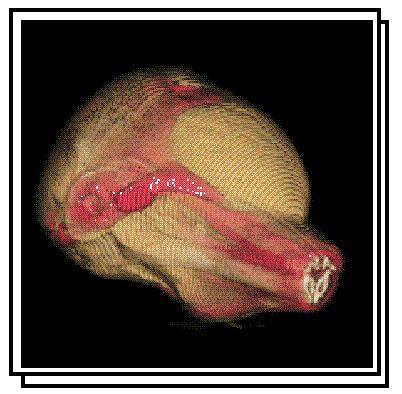 |
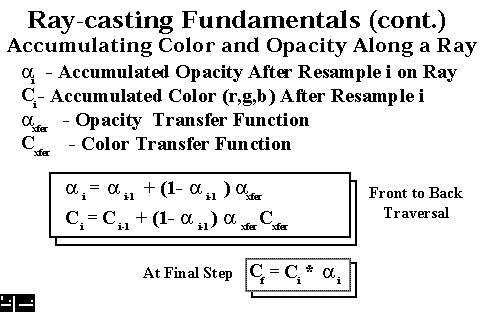
Ray-casting is the most used algorithm for the generation of high quality images. It performs an image-order traversal of the image plane pixels, determining a color and opacity for each pixel. A ray is fired from the center of each pixel through the volume. The colors and opacities are summed along each ray and the result is used to shade the pixel. The ray continues until it exits the volume or until the sums become greater than one.
The first step is for the user to set up color and opacity tables as discussed in the data classification section. The user then sets the viewing and lighting (if any) information. The ray-caster starts firing rays through the pixels. When a cell is intersected between gridpoints, an interpolation scheme can be used to determine the data value, or for voxel-based rendering the value at the central grid point can be used. Based on this value a color and opacity is assigned from the look up tables. The color and opacity values are modified by the surface gradients, weighted, and then added to the previous values for the ray. Usually values closer to the front are given a higher weighting. The ray then continues through the volume.
Ray-casting is very cpu-intensive but the images can show the entire data set and not just a particular surface. Also, this algorithm can be easily parallelized.

 Back to DVR Algorithms
 HyperVis Table
of Contents
HyperVis Table
of Contents